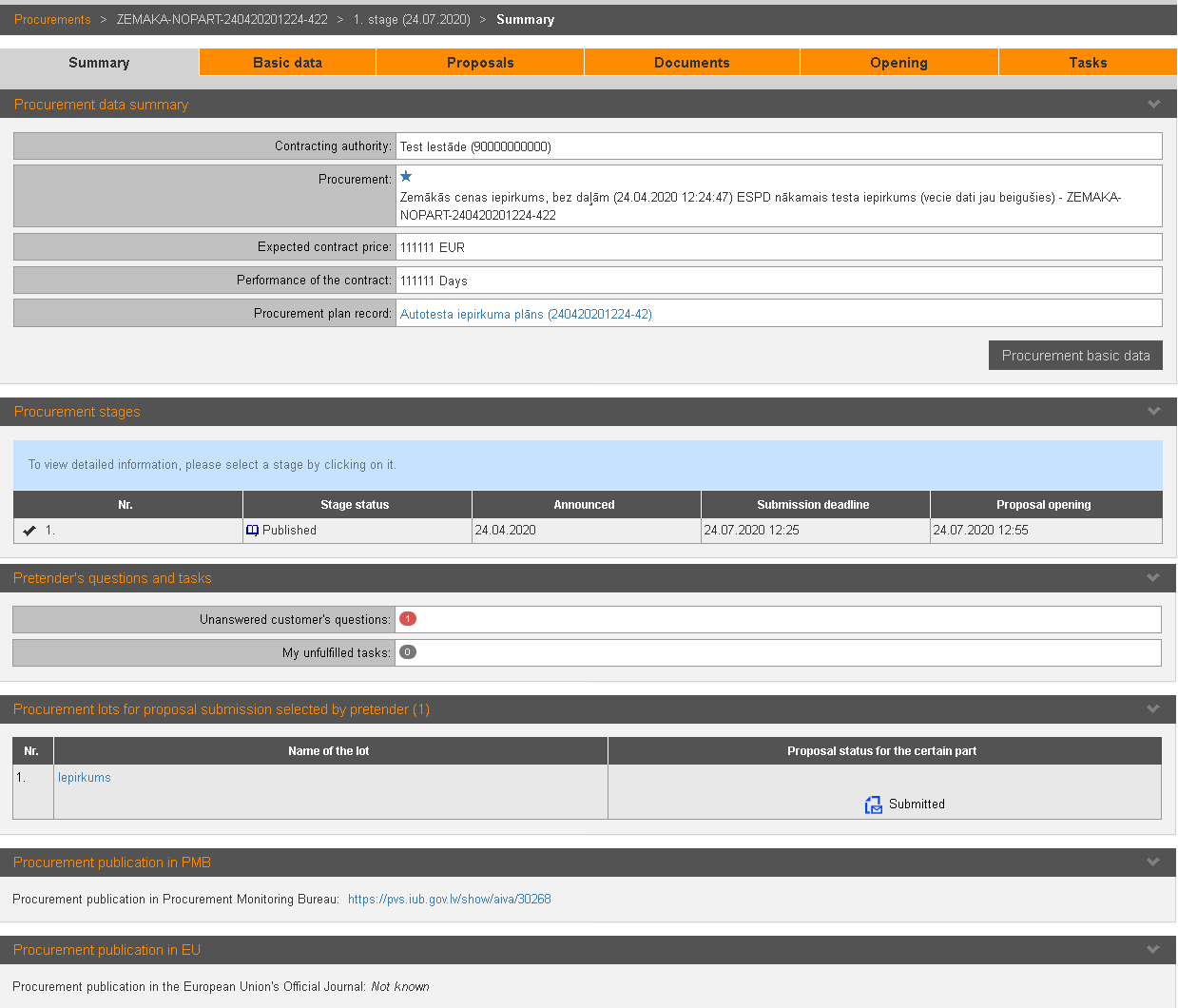
To view procurement summary, open the section „Summary”. If there are more than 1 stage, there is a summary section for each stage.
Picture 167. Procurement summary
|
Interface element |
Description |
|
Procurement data summary |
Information about procurement. |
|
Procurement stages |
By clicking on the stage entry, stage’s summary data is opened with information about pretender’s participating in it – information about submitted proposals, actual questions etc. |
|
Pretender's questions and tasks |
Information about questions to pretender sent by Contracting authority and not executed tasks. |
|
Procurement lots for proposal submission selected by pretender |
Selected lots and information about pretender’s proposal. |
|
Procurement publication |
Procurement publications in PMB and EU. |
|
Stage’s summary |
Documents – procurement stage’s final report and stage’s result summary. |