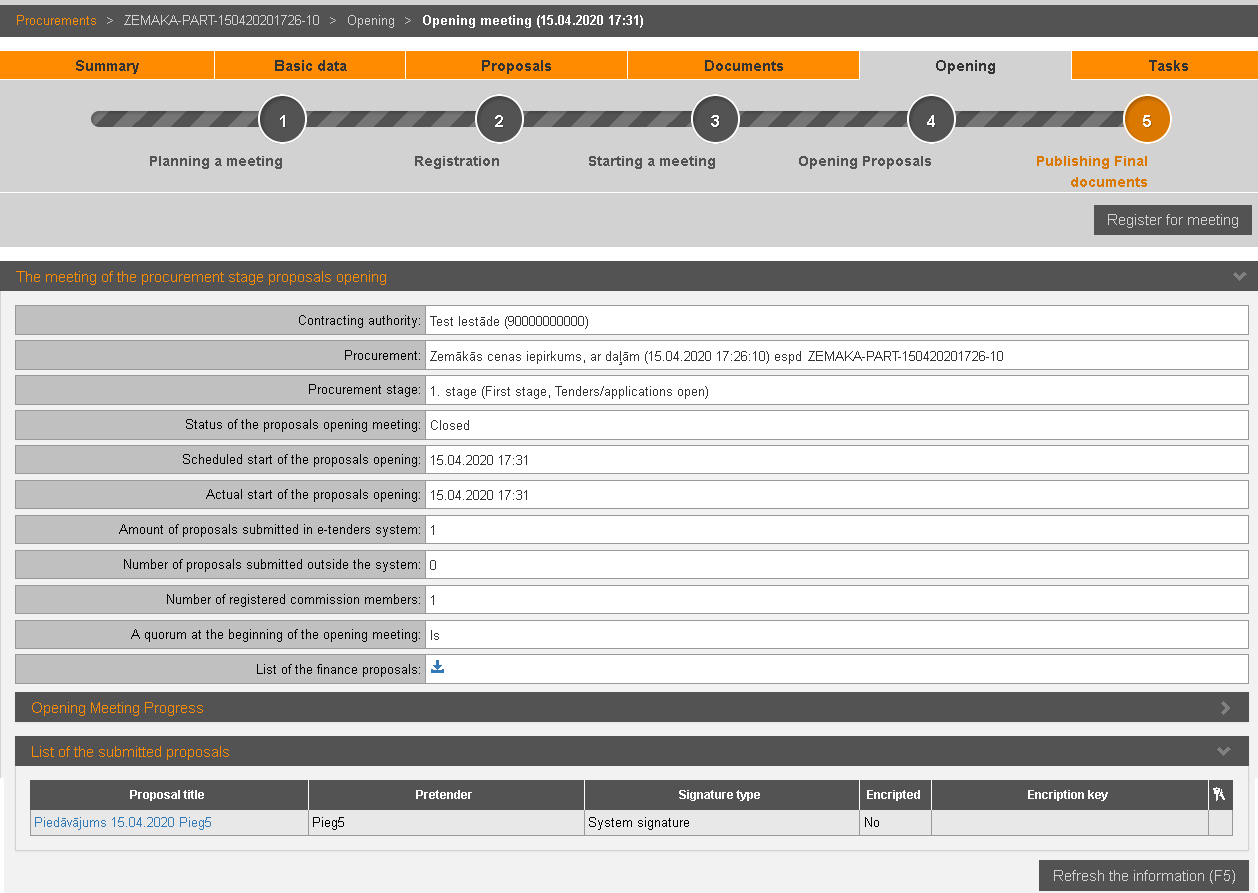
After registration for meeting, pretender can view proposal opening meeting’s information and summary of submitted proposals.
Picture 203. Proposals opening meeting’s information
|
Interface element |
Description |
|
The meeting of the procurement stage proposals opening |
Summary of procurement, opening meeting and submitted proposals. To view finance proposals and meeting protocol,
click the icon |
|
Opening Meeting Progress
|
Information on meeting progress. |
|
List of the submitted proposals |
List of pretender’s submitted proposals. If pretender’s proposal was encrypted, during the meeting is in the status of ‘Started the opening of the proposals/ applications’ the icon to start decryption is available. |
|
Refresh the information (F5) |
By clicking meeting information is refreshed. |
 .
.