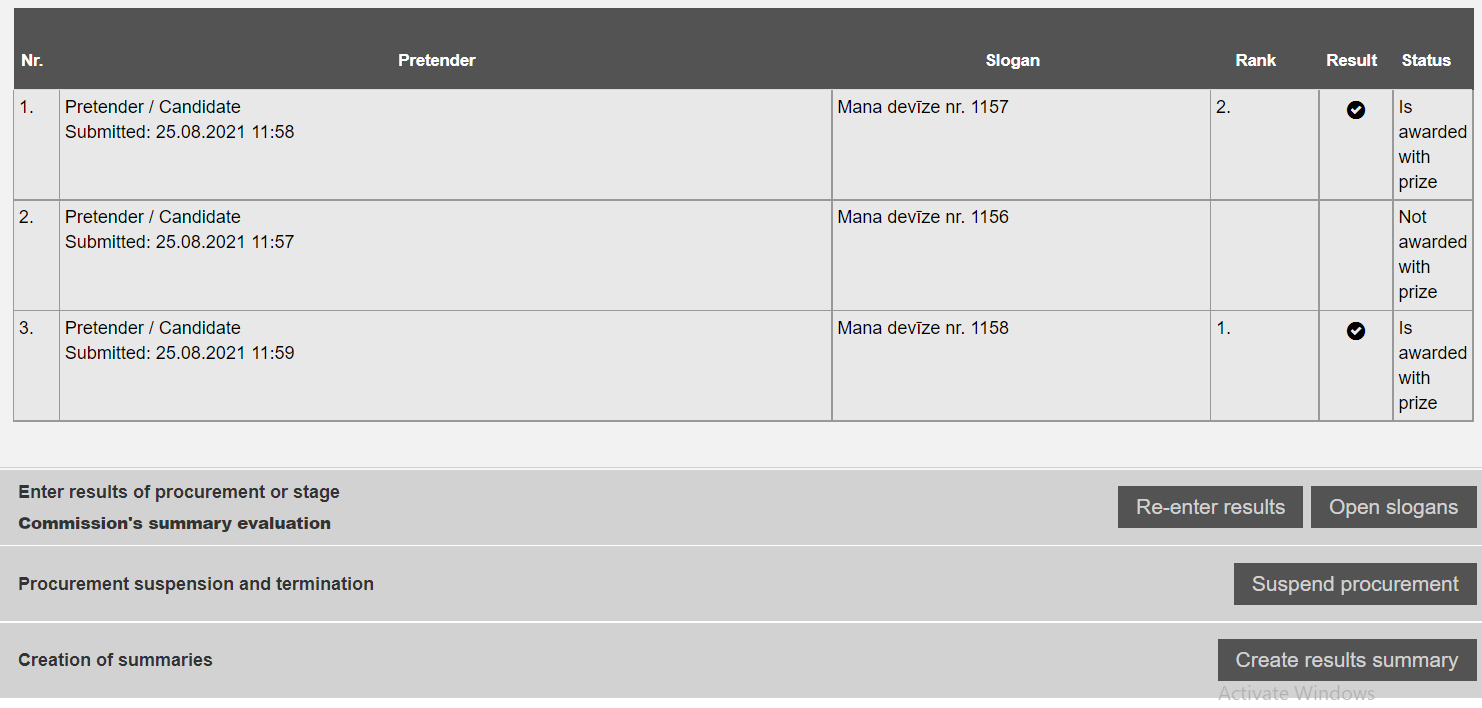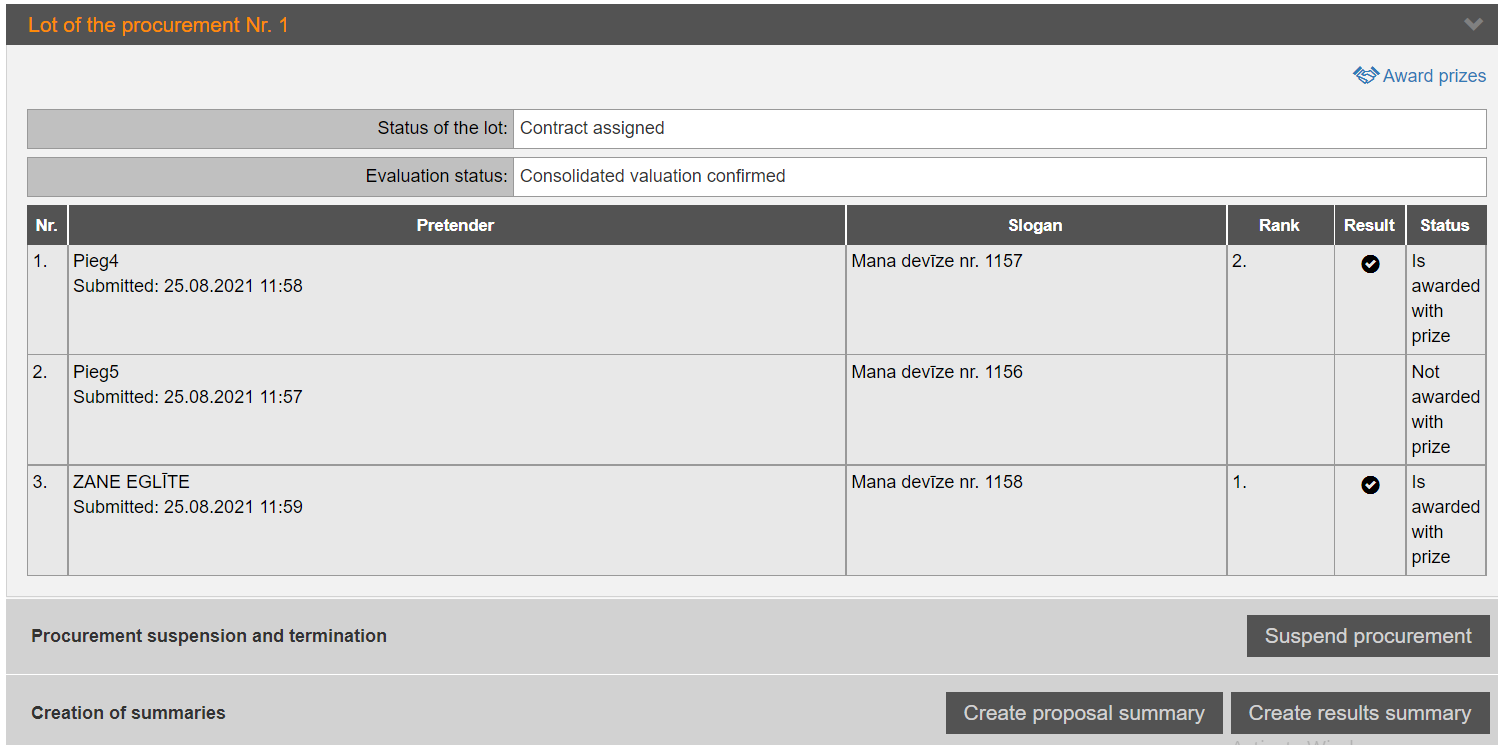
Proposals in Design contests are always evaluated according to the simplified process, see 11.3 Simplified evaluation of proposals.
During the evaluation process, the Commission shall select the pretenders to whom prizes shall be awarded and enter information regarding the rank received by the pretender.
Evaluation process:
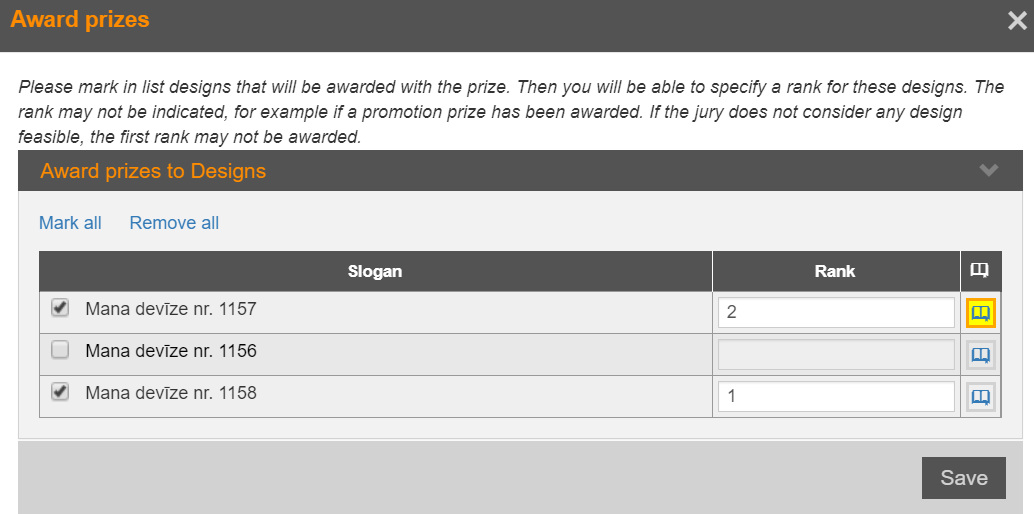
1. In the "Evaluation" section, click on the Award prizes hyperlink (see Picture 147. ). Evaluation in design contests), mark the designs nominated for awards and indicate the rank awarded.
Picture 271. Prizes award
2. Confirm the results by indicating the date of adoption of the decision (see Approve evaluation results).
3. Open slogans by clicking the Open slogan button (see Picture 147. Evaluation of proposals in design contests). The system checks that all the data necessary to open slogans has been entered. If all data is entered, a warning message is displayed:
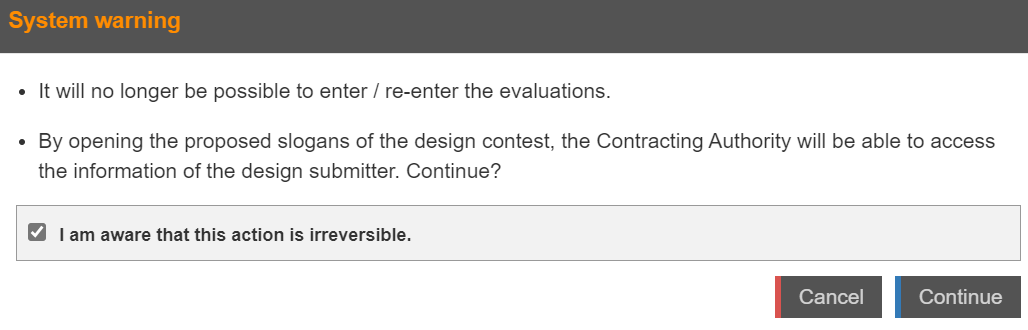
Picture 272. Slogans opening
Note! If the PC decides to hold a public slogan opening session (for example, by demonstrating the Evaluation section to the present applicants as well as demonstrating the results of the evaluation and the fact that the names of the applicants have not been visible to them before that slogan opening), the PC may/preferably press the Open slogan button for test purposes in order to verify that all data have been entered in the system before the public meeting..
The system will display the warning before opening the slogans (see Picture 272. Slogans opening).
If this warning is displayed, all the data has been entered and if you do not want to open the slogans at the moment, close the warning window. The test that the system will not display errors during the opening of the slogans is done.
If this warning is not displayed, then an error message is displayed (for example, that the results have not been confirmed), accordingly, the PC has to complete data entry before the slogans opening.
After the slogans opening, the result of the evaluation is no longer changeable and full information on the pretenders is available.
4. Create summary documents.