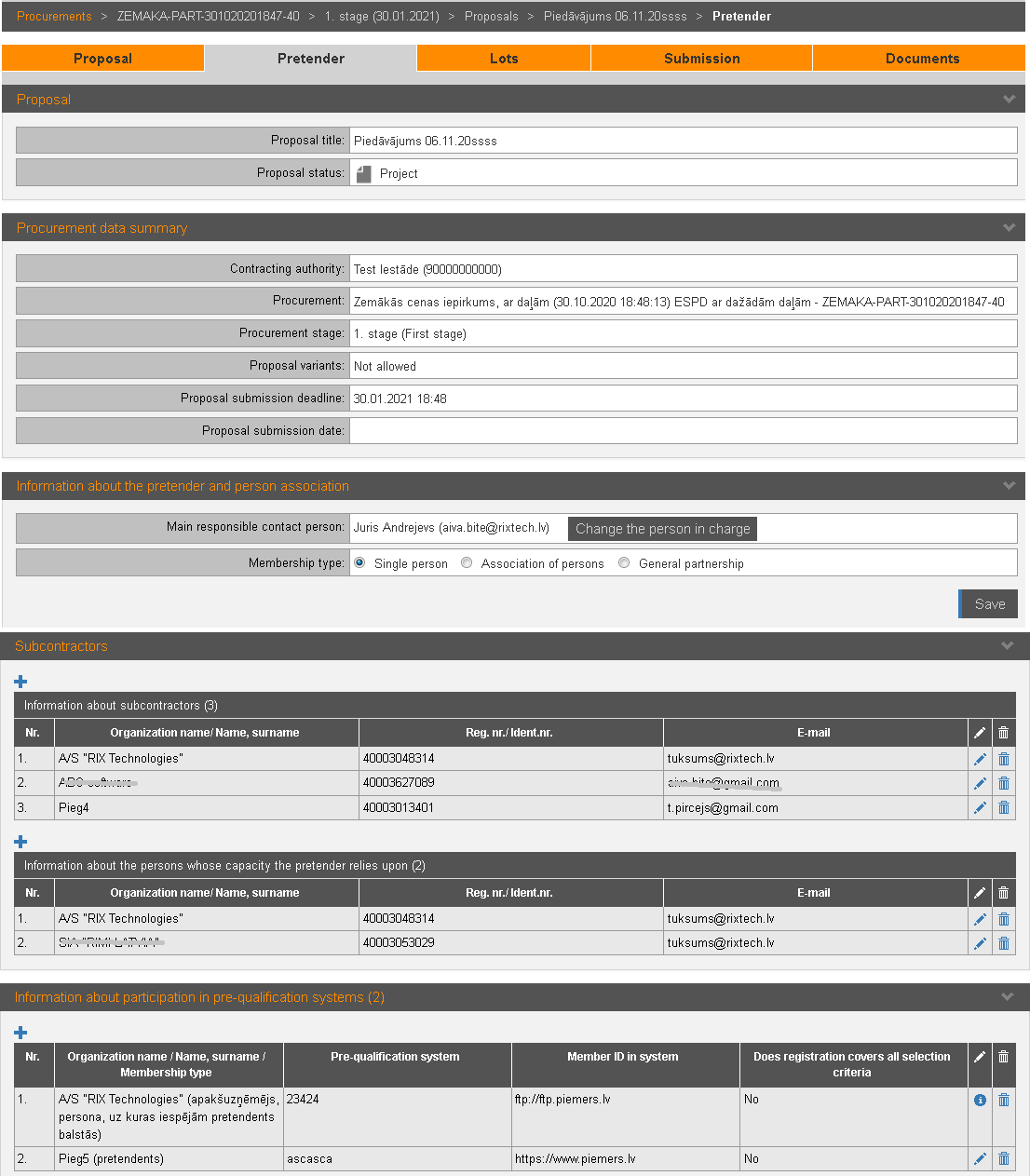
Information about pretender, subcontractors, signatories and submitter of the proposal is maintained in the proposal’s section „Pretender”:
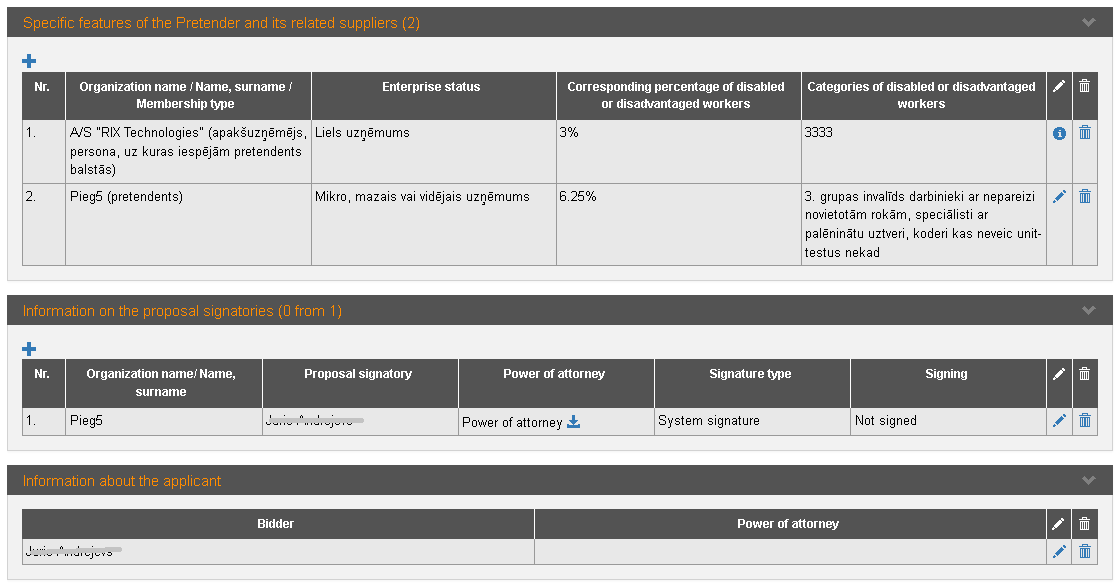
Picture 177. Pretender’s information
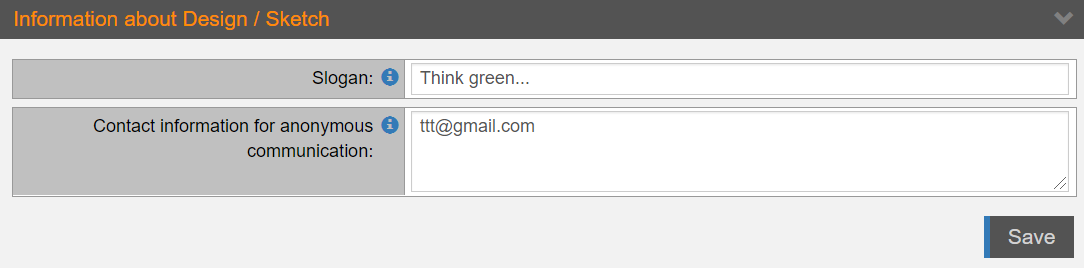
Picture 178. Information about Design/ Sketch – for Design contests

Picture 179. Information about pretender – for DPS applications
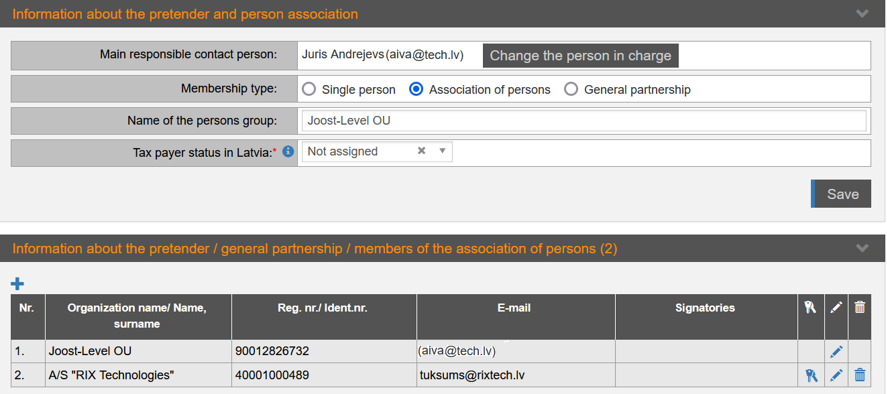
Picture 180. Information about members of General partnership or Association of persons

Picture 181. Information on payer status in Latvia – for foreign pretenders
|
Interface element |
Description |
|
Proposal |
Proposal title and status. Proposal can be in one of the following statuses: − Project; − Verified; − Initiated signing; − Signed; − Submitted. If you enter information for one lot, select the lot in the field Pretender's data for the procurement lot. |
|
Procurement data summary |
Summary of the procurement and stage. |
|
Information about Design/ Sketch |
When creating a proposal for Design contest, in the Slogan field enter the text that doesn’t allow to identify the applicant. The slogan will be visible to the customer after the opening of the proposals. In the field Contact information for anonymous communication enter contact information (mandatory - e-mail) for anonymous communication, which Contracting authority will be able to use for communication with the applicant. The contact details must be in a way by which the applicant cannot be identified. Save the information entered in the block. Click an |
|
Information about the pretender and person association |
You can specify one person in charge for each proposal. This information is available to Procurement commission. To change persons in charge, click the button Change the person in charge (see 15.6.3 Change the main responsible person). This person receives notifications related to the procurement. If there are association of the persons, select Membership type, write the name of the association and save the information. To open the DPS allocation, click the link in the field DPS application. Foreign pretenders must provide information about the tax payer number assigned in Latvia. |
|
Information about the pretender / members of the association of persons / general partnership |
To add new person of the association, click the icon
To request to indicate the signatory for the member
of the association of persons, click the icon In procurements where ESPD exclusion and selection requirements are applied – when adding a new participant or correcting a participant's e-mail address, system sends an invitation to the participant to participate in the preparation of the proposal. In a case participant is excluded from pretenders list, system sends a withdrawal notification to the deleted participant. |
|
Subcontractors |
To add information about subcontractor or person
upon which capacity pretender relies, click the icon In procurements where ESPD exclusion and selection requirements are applied, if subcontractor is excluded from pretenders list, system sends a withdrawal notification to the deleted subcontractor.
|
|
Information about participation in pre-qualification systems
|
Information about pretender’s participation in pre-qualification systems (see 15.6.4 Participation in pre-qualified systems). |
|
Specific features of the Pretender and its related suppliers
|
Information about pretenders and suppliers enterprise statuses – mandatory information in a case of ESPD procurement (see 15.6.5 Specific features of the Pretender and its related suppliers). If the procurement provides a privileged contract, then enter the information on applicants who employ disabled workers or disadvantaged persons. |
|
Information about the proposal signatories |
List of the proposal signatories. To add new signatory, click the icon The system sends an information notice to the attached signatories. |
|
Information about the applicant |
To add applicant’s information, click the icon |
 icon for more detailed
information.
icon for more detailed
information. and enter information about
legal or natural person.
and enter information about
legal or natural person.  – organization’s user with a
role of ‘Manager’ will receive the task to define a signatory. The task is
set as completed when the signatory is added in the block “Information
about the proposal signatories”.
– organization’s user with a
role of ‘Manager’ will receive the task to define a signatory. The task is
set as completed when the signatory is added in the block “Information
about the proposal signatories”.